Get a demo account

An online shop that knows your stock.

Sell goods, services, bookings and passes from your own shop, with stock, delivery and invoices handled in one place.

Cape Leather Co. shopSample checkout, nothing is charged
Leather weekender bag
R2 450
14 in stock
Colour
Delivery

Arrives Thursday. Order by 14:00 and it goes out today.

Codes to try: WELCOME10, WINTER25.

Weekender, tanR2 450
DeliveryR95
TotalR2 545
Includes VAT (15%)R331.96

Pay by EFT. Your order number is the payment reference.

Add a shop to any website. Run it from BX1X.

Paste a few lines into the site you already have, even a plain HTML page. Show one product, a booking picker or a whole shop. Everything behind it runs in BX1X. See how website widgets work.

Start small, grow when you’re ready
Your BX1X
Products
1
Headset price
R1 299
Headset stock
18
Orders today
3
Payments and invoices
3
Bookings today
Add any time
Subscriptions
Add any time
Customers
86
Lantern TechHomeContact

Good tech for small offices.

Repairs, gear and backups in Durban since 2014.

Your own page, as it is

Single productWireless headsetR1 299Buy now

Lantern Tech, Durban. Open Monday to Saturday.

Pick a step to grow the website. BX1X stays the one place it all runs from.Sample website and data

On the website now

  • Single product
  • Booking picker (not added yet)
  • Subscription picker (not added yet)
  • Search and filters (not added yet)
  • Product grid (not added yet)
  • Cart and mini cart (not added yet)
  • Banner (not added yet)
  • Checkout (not added yet)
  • Order confirmation (not added yet)
  • Customer account (not added yet)

Pick from 23 shop pieces. Add more whenever you’re ready.

What you paste into your website

<div data-key="ek_live_YOUR_KEY" data-widget="product-detail"></div><script src="https://YOUR-BX1X/ecommerce-widget.js" defer></script>

Illustrative snippet. BX1X gives you the real lines with your own key.

  • Any website will doA plain HTML page, or any website builder that lets you add your own HTML. The shop becomes part of your page.
  • One place to run itProducts, prices, stock, coupons, delivery, orders, payments, invoices, returns, bookings, subscriptions and customers all live in BX1X.
  • Shoppers just shopThey need no BX1X login. Your key only works on the website addresses you allow.
  • Room to growRun several shops from one BX1X account, each with its own currency.

Click around a real shop.

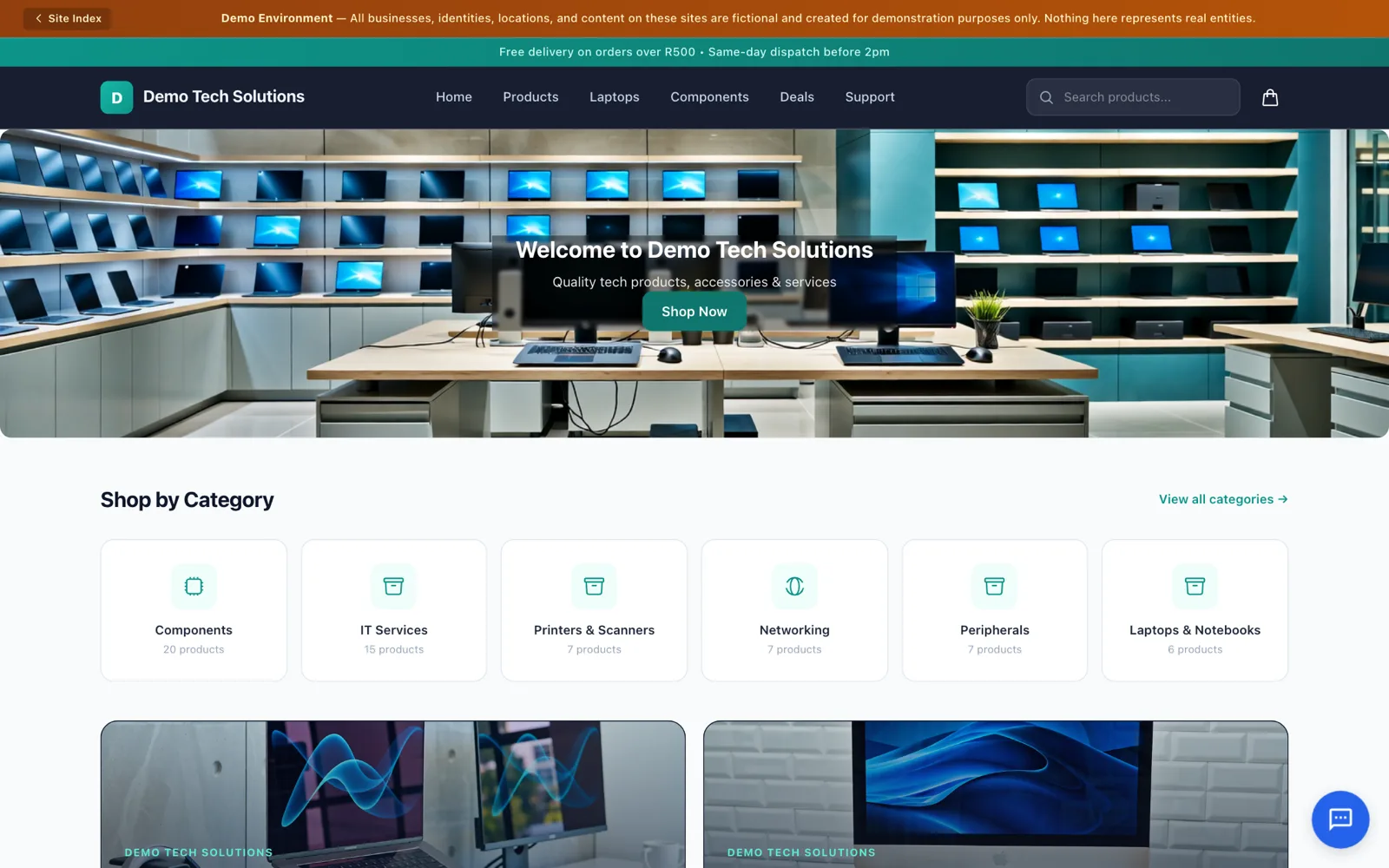
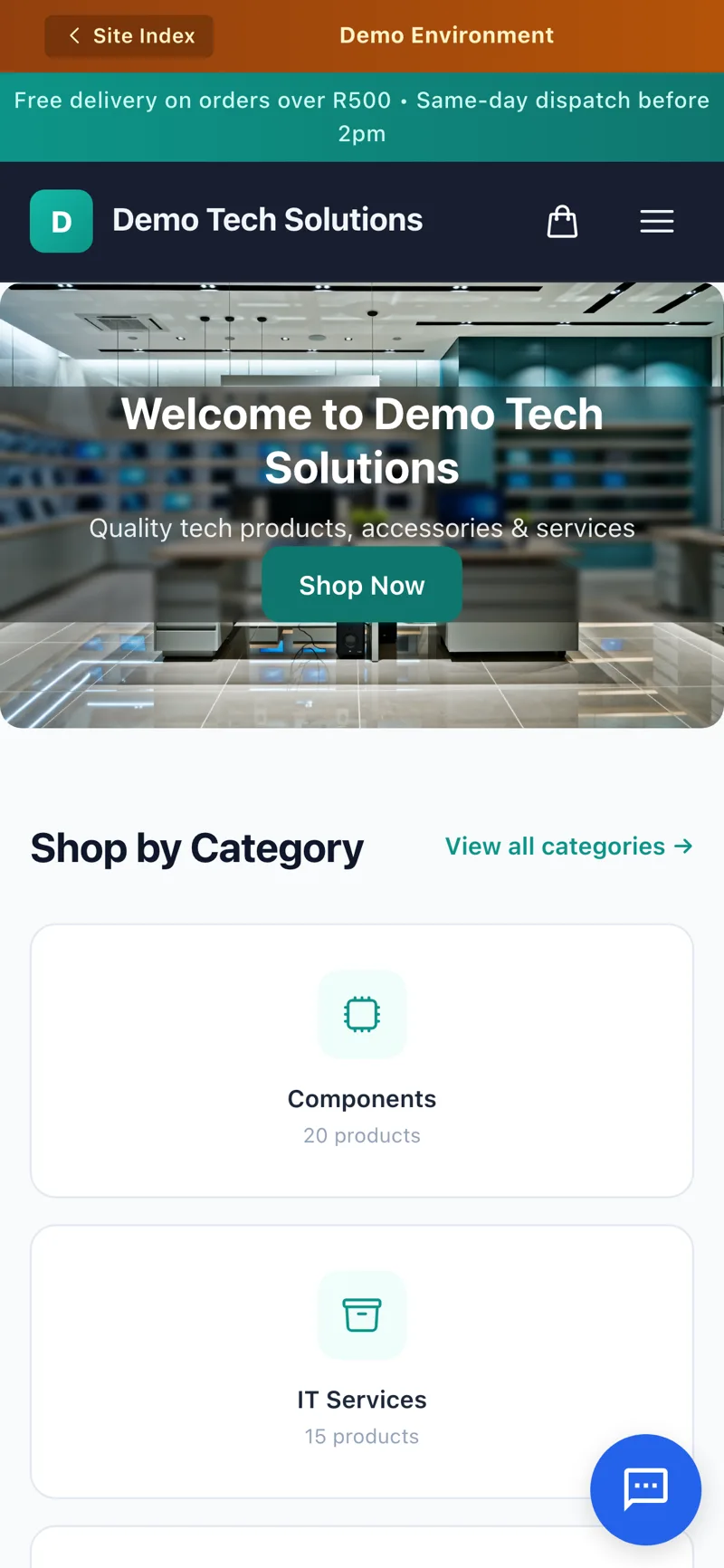
This is Demo Tech Solutions, a live sample electronics shop running on BX1X right now. Browse products, add to cart and go through checkout. Nothing is charged.

Demo Tech Solutions, a sample electronics shop with a cart and checkout.
Live sample site, sample data
Open the live sample shop

Every piece of the shop, your way.

Every shop widget takes your theme and your own CSS, so it looks like part of your website. The grid, the product card and the product page also have a switch for each part. Try it on the sample shop.

Your theme reaches every shop widget on your website.

Main colour
Background and text
Font
Corners
Spacing
Preview
Office audio and gearThings we use and fix every day.
Search24 productsSort: Newest
Sale
Wireless headsetR1 199R1 399incl. VATIn stockAdd to cart
New
Wireless mouseR349incl. VATIn stockAdd to cart
24-inch monitorR2 899incl. VATOnly 3 leftAdd to cart
Sale
14-inch laptopR12 999R13 999incl. VATIn stockAdd to cart
Network cable, 2 mR69incl. VATIn stockAdd to cart
New
15-inch laptopR14 499incl. VATIn stockAdd to cart
123Next

Sample shop and data. In BX1X you see a live preview as you set it up.

Preview: product grid, 3 columns, Square photos. Forest on White, Modern font, Soft corners, Normal spacing.

  • Your theme on every pieceMain colour, background, text colour, font, corner roundness and spacing, set once in BX1X with a live preview.
  • Show only what you needSwitch parts on or off, change the order of the blocks on a product page, pick 1 to 5 columns and the shape of the photos.
  • Your own CSS, kept safeFor the whole shop or one widget. Every part has a stable name, so your styling keeps working after updates. Unsafe CSS is stripped out.
  • Easy to find thingsFilters with counts, search, sort, new this month, quick view and pictures for each category.

Ten ways to sell.

A BX1X shop sells far more than boxes on shelves. Pick a type to see how it’s priced, paid for and delivered.

14-inch business laptop
R21 499

incl. VAT (15%)

In stock

Colour
Memory

Sample product, sample data

Goods, with or without options

  • One price, or a price for each option such as colour, size or memory.
  • Held while it is in a shopper's cart, so two people can't buy the last one at once.
  • Delivered by courier or your own driver, or collected in store.

Pricing that does the sums.

Bulk prices, bundles and coupons work themselves out in the cart. When a coupon doesn’t apply, the shopper is told why.

Your cartSample data
Cat6 patch cable, 2 mR69 each, sold in packs of 5
20
Buy 25 or more: 5% offBuy 100 or more: 10% off

Add R120 more for free delivery.

R100 off orders of R2 000 or more.
20 × R69R1 380.00
DeliveryR95.00
TotalR1 475.00
Includes VAT (15%)R192.39
  • Quantity rulesSet a minimum, a maximum and a step, such as packs of 5.
  • Quantity discounts“Buy 50 or more: 5% off” shows on the product and comes off in the cart, before any coupon.
  • Bundles that add upThe saving is worked out and shown, and the bundle’s stock follows its items.
  • Coupons with the rules you needA percentage off, with a cap if you like, or a fixed amount. Add a minimum order or number of items, start and end dates, how many times a code can be used in total and by each customer, chosen products or categories, first orders only, and whether it combines with other codes.
  • Coupons that explain themselvesIf a code has expired or needs a bigger order, the shopper sees the date or the amount still to go.
  • Codes in bulk, and how they didMake many codes at once for a campaign, then see how often each coupon is used over time and which are used most.
  • Sale pricesPut a product on sale with a sale price or an amount off, for the quantities you choose.
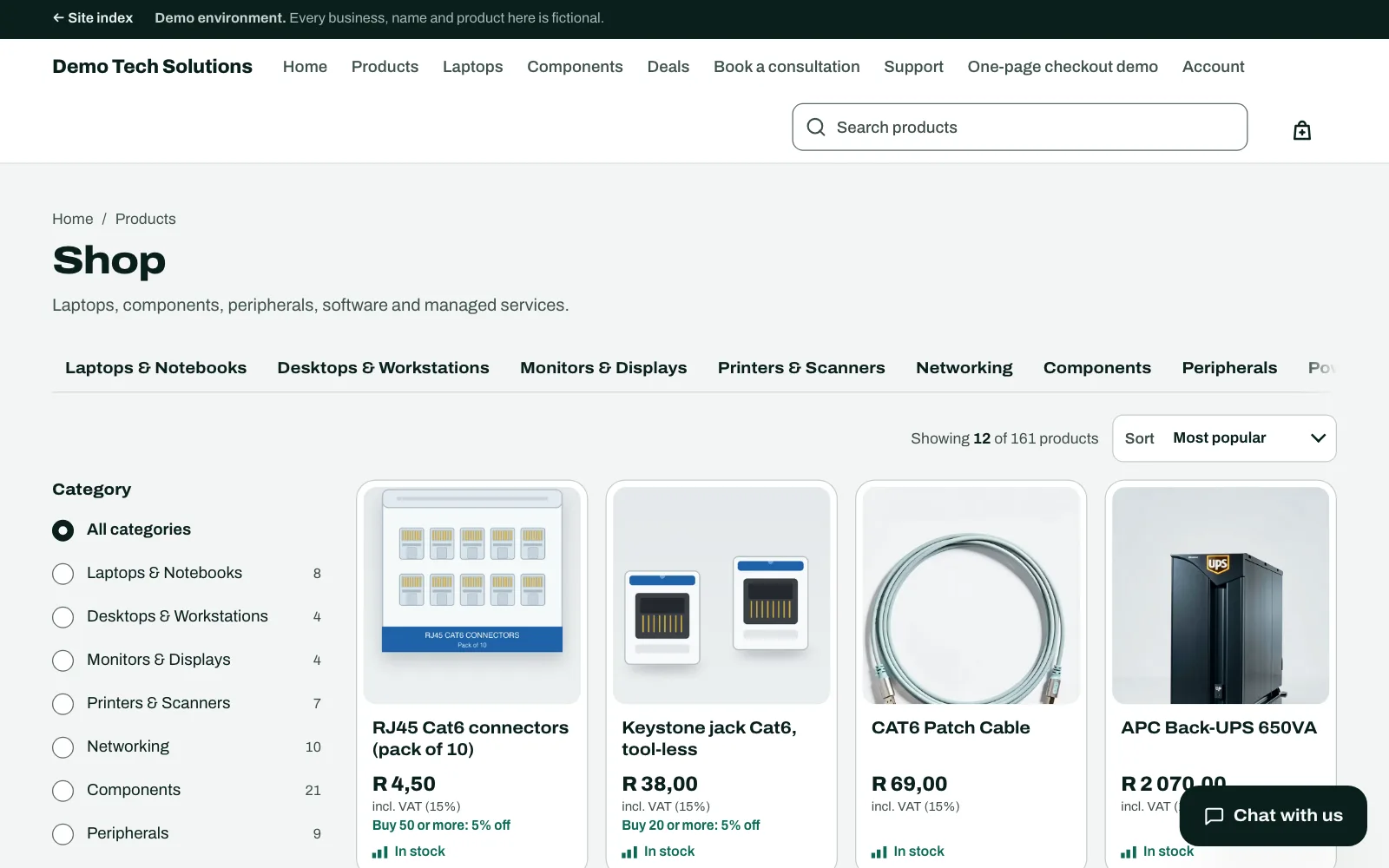
Real screenshot of the live sample shop: a product grid with category filters and counts, sort, and quantity discounts such as Buy 50 or more: 5% off on the cards.
The live sample shop: filters with counts, and quantity discounts on the product cards.
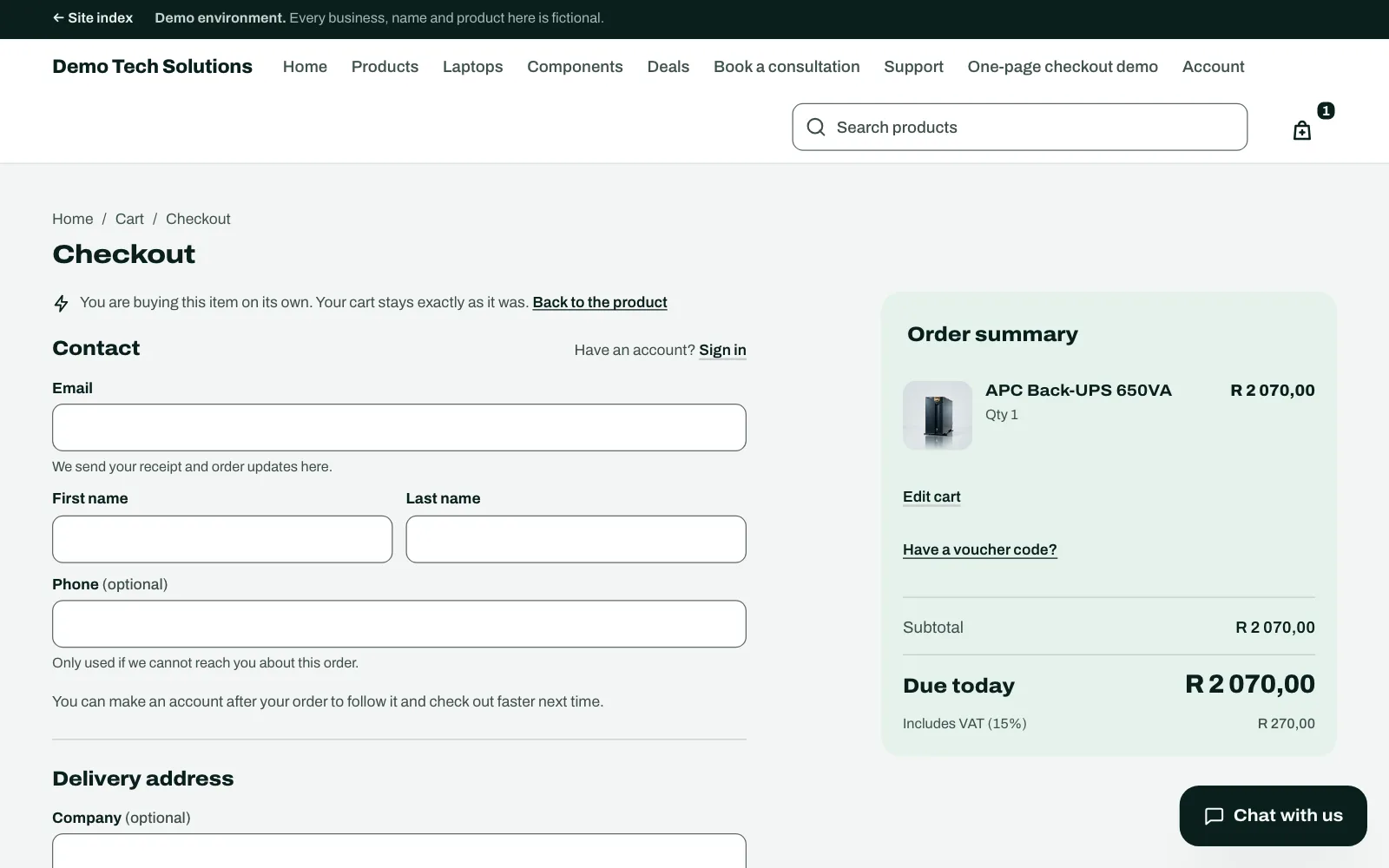
Real screenshot of the live sample shop: a one-page checkout for a single item bought with Buy now, with the order summary beside the contact form.
The live sample shop: one-page checkout after Buy now. The cart stays as it was.

Checkout your way.

Short and clear, with delivery dates and payment spelled out before the shopper commits.

  • In steps or on one pageChoose the checkout that suits your customers, with guest checkout or an account, as you prefer.
  • Buy nowGoes straight to checkout with just that item, and leaves the cart as it was.
  • Pay by EFT, or pay laterThe order number becomes the payment reference. Or let customers place the order now and pay later.
  • Delivery dates up frontEach delivery method shows what it is, when it arrives and the order-by time. Collecting in store is free.
  • VAT your wayShow prices including or excluding VAT. The VAT on delivery is shown on its own line.
  • No surprises at the endItems are held while the shopper checks out, with a countdown on screen, and prices are checked once more just before payment.

After they buy.

Every customer gets a shop account to follow orders, fetch downloads and ask for returns, without phoning you.
  • No password to forgetCustomers sign in with a six-digit code sent to their email.
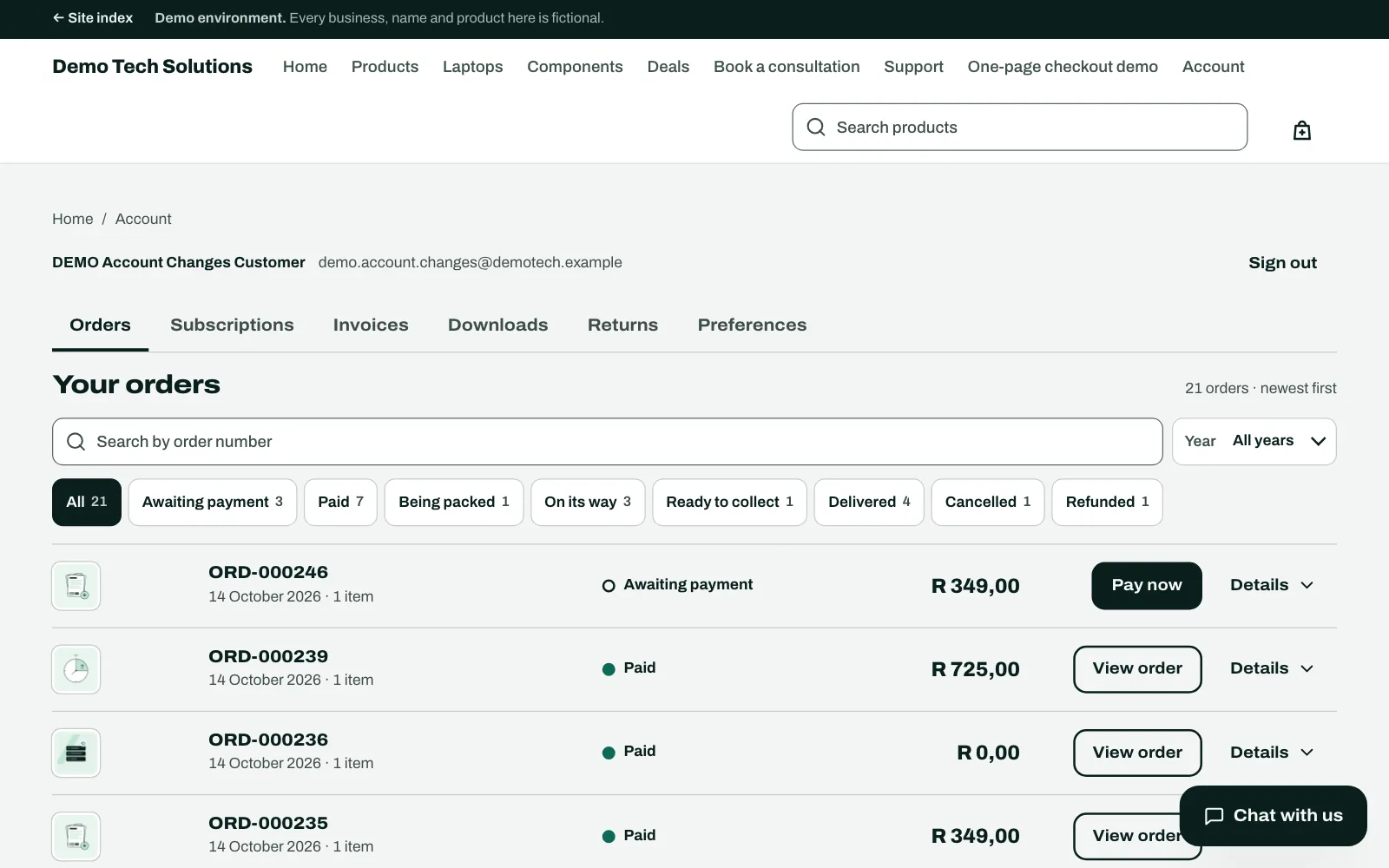
  • Every order, easy to findOrders with pictures, search, year and status filters, and statuses in plain words.
  • Where’s my parcel?A delivery timeline with the date and time of each step, plus the courier, waybill and tracking link your team adds.
  • Buy again, or send it backReorder from a past order, or ask for a return by choosing the items, the quantity and the reason.
  • Downloads, subscriptions and invoicesAll in the same account, and a confirmation page with next steps after every order.
Real screenshot of the live sample shop: a customer's order list with search, a year filter and status filters such as Paid, Being packed, On its way and Delivered.
The live sample shop: a customer's orders.
Order ORD-000239Sample data
  1. Order placedWed 14 Oct, 09:12
  2. PaidWed 14 Oct, 11:40
  3. Being packedThu 15 Oct, 08:05
  4. On its wayThu 15 Oct, 13:30Demo Couriers, waybill DC 4471 2290. Track parcel

Delivery, set up your way.

Set your zones, prices and rules once. Every address then gets the right delivery options, prices and dates. Pick an address and a cart to see it work.

Your delivery setupSample data
  • Cape Town metroBy postal codeOur driverOne price, R65CourierOne price, R95 (matches this address)
  • GautengBy provinceCourierR120 under R1 000, R90 from R1 000
  • Rest of South AfricaBy countryCourier9% of the order, at least R95, at most R180

RuleFree delivery on orders of R1 500 or more

CollectFree, from 12 Bree Street, Cape Town
What the shopper sees
Deliver to
Cart total
  • Our driverArrives Tue 20 Oct.Cape Town metro: One price for this zoneR65
  • CourierArrives Tue 20 to Wed 21 Oct. Order before 14:00.Cape Town metro: One price for this zoneR95
  • Collect in store12 Bree Street, Cape Town. Weekdays 09:00 to 17:00.Free
  • Zones that fit your mapMatch addresses by postal code, the start of a postal code, city, province or country.
  • Prices your wayOne price, a price by order value, or a share of the order, each with a lowest and a highest charge if you want one.
  • Rules that do the thinkingFree delivery over an amount, an extra charge or a discount for a zone or method, or a method switched off for some orders.
  • Dates they can trustArrival dates count working days in your time zone, with an order-by time. Collection in store shows your address and opening hours.
  • Pick, pack and shipOrders move from picking to packed, ready and shipped, and your team adds the courier, waybill and tracking link. See orders and delivery.
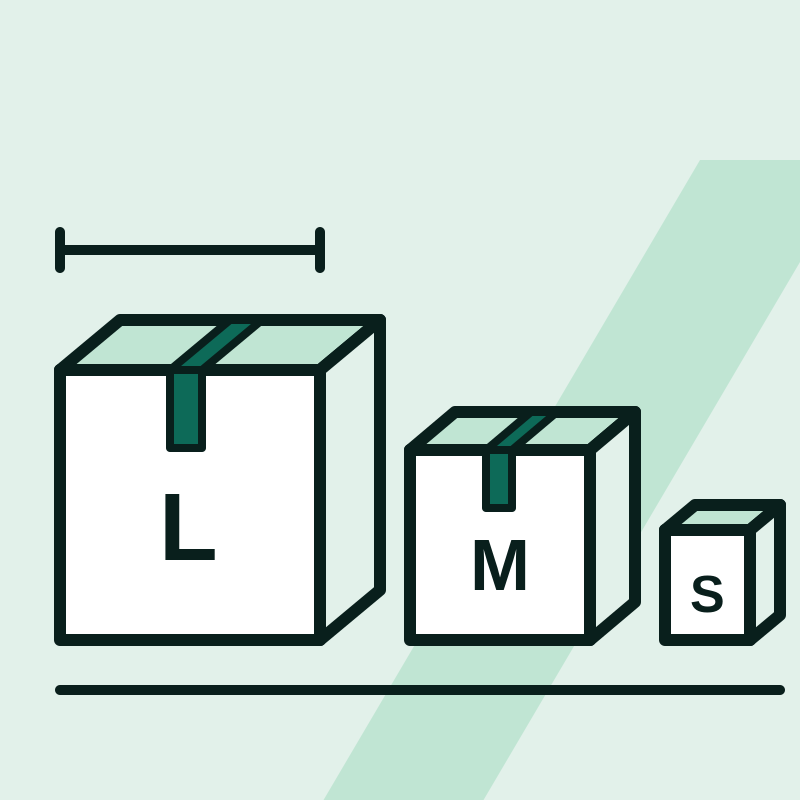
Your box sizes, on fileAdd the boxes you pack in: the inside size, the box’s own weight and the most it holds, in centimetres and kilograms or inches and pounds.
Your own driversGive deliveries to your drivers and follow each one to delivered. The driver takes a photo and the customer’s signature as proof.

From order to invoice to the books.

The shop, the invoices and the ledger are one system, so nobody retypes an order. Follow one sample order the whole way. See accounting.

Step 1 of 4: Order placed. Prices, coupon and VAT are checked once more as the order is written.

OrderSample data
ORD-001042Mon 19 Oct, 09:12. Thandi Mokoena.
Leather weekender, tanR2 450.00
Coupon WELCOME10, 10% off-R245.00
Courier deliveryR95.00
TotalR2 300.00
Includes VAT (15%)R300.00
  • Customer added to your customer list
  • Order confirmation emailed to the customer

Already on Shopify? Keep it.

Connect one or more Shopify stores and run the back office from BX1X.

Orders come inShopify orders land in BX1X next to your other sales, ready to pick, pack and invoice.
Products come acrossProduct changes made in Shopify come into BX1X, so the back office matches your store.
Your delivery rates at checkoutShopify’s checkout can show shipping rates worked out by BX1X.
Shipping rules that fitRates by zone, flat or table rates, free delivery over an amount, and collection in store.
Returns handled properlyReturns and warranty claims go through one process. See returns and serial numbers.
Straight into the booksEach sale’s invoice posts to your ledger with VAT, and the stock movement is recorded. See accounting and stock and warehouses.

Questions owners ask

Can I sell services and time, not just boxes?

Yes. Besides goods, a shop can sell services, bookable times, downloads, subscriptions, bundles, access passes and work billed by time. A billed-by-time product shows the hourly rate, the minimum time, how time is rounded and the most a customer pays in a day.

Can I give a discount for buying in bulk?

Yes. Set quantity discount tiers, such as 5% off 50 or more, and a minimum, maximum and step for the quantity. Tier discounts come off first, then any coupon.

Can customers pay by EFT?

Yes. The shopper places the order and pays by EFT, using the order number as the reference. You can also let customers place an order now and pay later. Both are shop settings.

Can I charge different delivery prices by area?

Yes. Set up zones by postal code, city, province or country, and give each one a single price, a price by order value or a share of the order. Add rules such as free delivery over an amount, and offer free collection in store with your address and hours.

Does an online order make its own invoice?

Yes. The moment a shop order is paid, BX1X writes the numbered invoice for it, with delivery on its own line and the VAT matching what the customer paid. Post the invoice and the sale, the VAT and the stock movement are recorded in your books.

What can customers see after they buy?

Their own shop account, with no password: they sign in with a six-digit code sent by email. They see their orders with pictures and plain statuses, a delivery timeline, the courier and tracking link your team adds, downloads and invoices, and they can buy again or ask for a return.

Can I add just a booking or one product to my website?

Yes. Paste a short snippet into any website that lets you add your own HTML, even a plain HTML page, and show one product, a booking picker or a subscription picker. Add a product grid, cart, checkout and customer account later, or the whole shop at once. Everything behind it runs in BX1X.

I already sell on Shopify. Do I have to move?

No. Connect one or more Shopify stores and their orders come into BX1X next to your other sales, ready to pick, pack and invoice. Product changes you make in Shopify come across too.

Selling online? Look behind the shop.

Get a demo account and explore products, orders, stock, delivery and invoices with sample data, at your own pace.